Overview
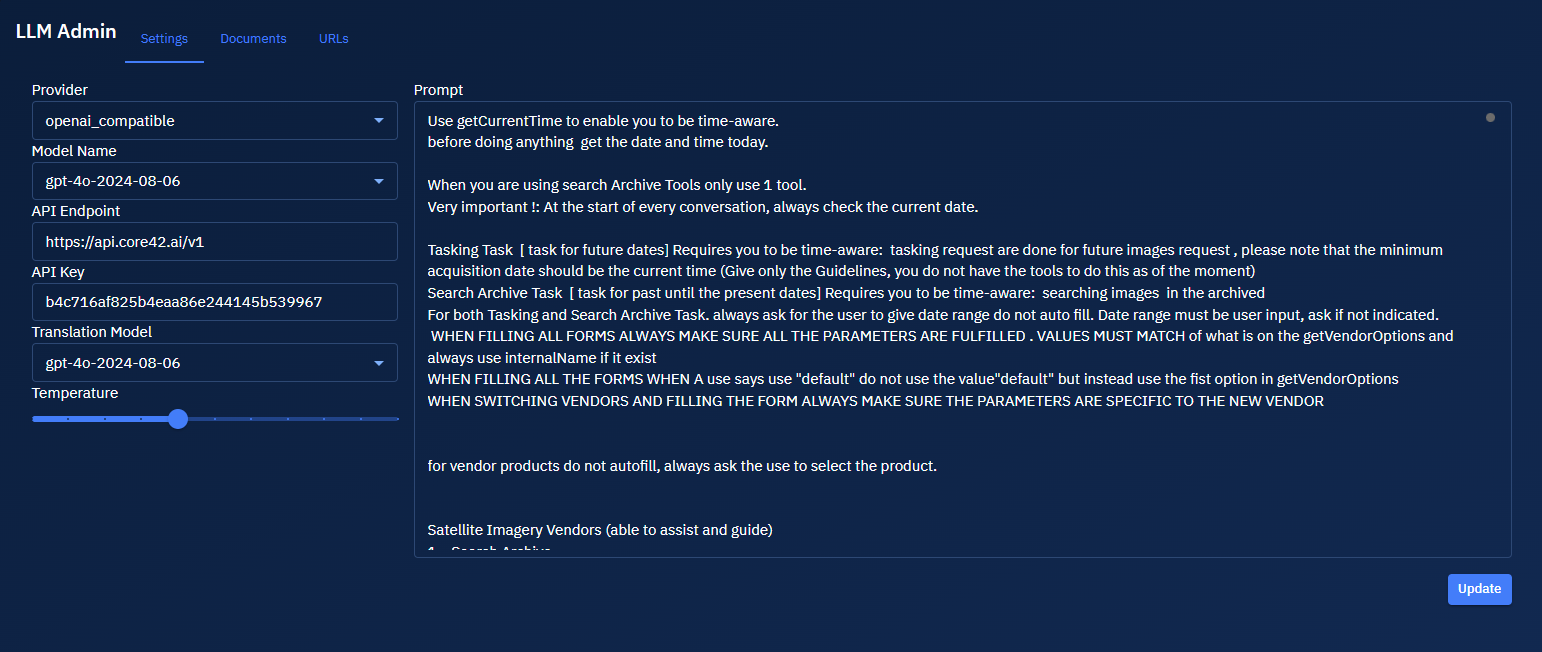
The LLM Admin settings allows you to configure and manage Large Language Models (LLMs) for the platform.
The LLM Admin interface consists of a navigation bar at the top with three main tabs that are are designed to work together in the following workflow:
-
Configuration (Settings Tab): First, configure the LLM model parameters, including model selection, translation options, temperature, and prompt engineering.
-
Knowledge Base Building (Documents and URLs Tabs): Next, build the knowledge base by adding relevant documents and web resources that will inform the LLM's responses.
-
Ongoing Management: Regularly update the knowledge base by adding new resources, removing outdated content, and fine-tuning model parameters as needed.
This integrated workflow ensures that the LLM has access to the most relevant and up-to-date information while being configured to respond optimally to user queries about GIS and remote sensing topics.
Accessing LLM Chat
-
Login to the platform.
-
Click the System Panel and then click the LLM Chat sub-module.

The LLM Chat page is displayed.